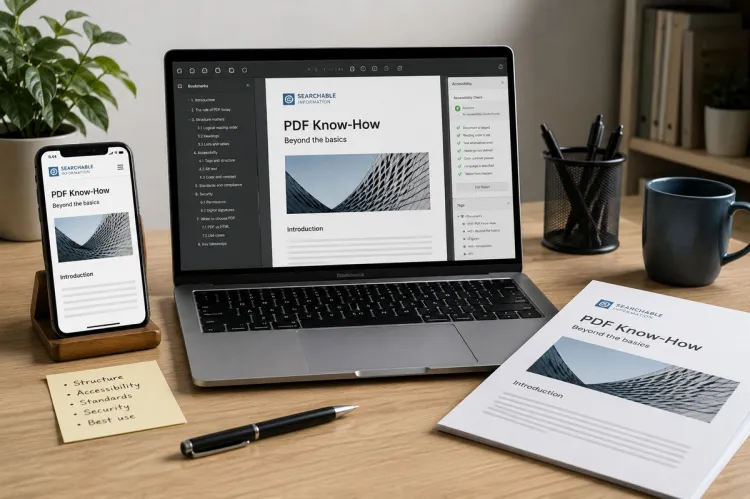
The portable document format, or PDF, presents a document identically on any computer, telephone or printer, whatever software produced it. Invoices, contracts, forms, brochures and reports are exchanged in it for that reason. It was devised in the early 1990s and has been an open international standard since 2008, so that many programs, most of them free, can create and read it.
When to use it
- Documents that must look the same for every recipient: invoices, quotations, letters, proposals, price lists.
- Anything to be printed.
- Documents that should not be casually altered.
- Forms to be filled in on screen.
- Records kept for the long term.
It is less suitable for text that others must edit, which is sent in its original format, and for information on a website, where an ordinary web page is easier to read on a telephone, to search and to keep up to date.
Creating a PDF
- Word processors, spreadsheets and presentation programs save or export directly to PDF.
- Any program that can print can produce one, through the "print to PDF" option built into current operating systems.
- Web browsers save pages as PDF in the same way.
- Scanners and telephone cameras turn paper into PDF.
- Exporting, in preference to printing to PDF, keeps links, bookmarks and the structure needed for accessibility.
Reading
Web browsers and operating systems open PDF files without additional software, and free readers add searching, commenting and form filling. Files received unexpectedly by email are treated with the same caution as any attachment, since a PDF can carry malicious links or code.
Editing
A PDF is a finished output, and is awkward to alter. Small corrections are best made in the original document, which is then exported again. Where the original is lost:
- PDF editing software changes text and images directly, with imperfect results on complex layouts;
- conversion to a word-processing format recovers the text, with the layout approximately preserved;
- free tools in the operating system or browser add notes, highlights, text boxes and signatures.
Combining, splitting and reordering
Pages can be merged from several files, extracted, deleted, rotated and rearranged with the preview and print tools of the operating system or with free utilities. Confidential documents are not uploaded to unknown online conversion sites, which receive a copy of everything sent to them.
File size
- Images account for most of the size. Export settings offer a choice between quality for print and a smaller file for email or the web.
- Scans are made at a moderate resolution, in greyscale or black and white where colour is not needed.
- Compression tools reduce existing files.
- Large files are shared by link in place of attachment.
Scanned documents and searchable text
A scan is a picture of a page: its words cannot be searched, selected or read aloud. Optical character recognition, included in many scanning programs and applications, adds a hidden layer of text. The result is checked, since recognition makes errors, especially with figures and poor originals.
Forms
- A fillable form has fields for text, tick boxes, drop-down lists and dates, created in form-design or office software.
- Fields are named, placed in a logical order for the tab key and tested in more than one reader.
- A form that is not fillable can still be completed with a text tool.
- For collecting many responses, a web form that stores answers directly is usually more practical.
Signatures
- An electronic signature, such as a typed name, a drawn signature or a click to accept, is legally valid for most contracts in the United Kingdom, provided the signer intended to sign.
- Signing services record who signed, when and from where, which strengthens the evidence.
- A digital signature uses a certificate to prove the signer's identity and to show whether the document has changed since signing.
- Some documents, including deeds and certain property and estate transactions, have further formal requirements, on which a solicitor advises.
Security
- A password to open the file encrypts its contents; the password is sent by a separate route.
- Restrictions on printing, copying and editing deter casual misuse but are easily removed, and are not relied upon.
- Redaction: drawing a black box over text hides it on screen and leaves it in the file. A proper redaction tool deletes the underlying text and images. The result is tested by trying to select or search for the hidden words.
- Hidden information: the author's name, comments, earlier versions and other metadata travel with a file unless removed before it is sent.
- A PDF is not proof against alteration; where that matters, a digital signature is applied.
Accessibility
- People who use screen readers depend on a tagged PDF, in which headings, lists, tables and reading order are marked.
- Tags are produced by using proper heading styles in the original document and choosing the accessibility option on export.
- Images are given text alternatives, the document a title and its language is set.
- Scanned pages without recognised text are inaccessible.
- Public bodies are obliged to publish accessible documents, and any organisation serves its readers better by doing so.
Archiving
A variant of the format designed for long-term preservation embeds the fonts and excludes features that depend on outside resources, so that the document can be displayed identically decades later. It is selected as an option on export, and is suitable for accounts, contracts and records that must be retained; see organising the office and paperwork.
Good practice
- The original, editable document is kept with the PDF.
- Files are named consistently, with date and subject.
- Links, page numbers and the appearance on a telephone are checked before sending.
- Fonts are embedded, so that the text looks the same everywhere.
- Documents for professional printing are prepared to the printer's specification, with crop marks and the required colour settings.
Sending documents safely is covered under managing business email, and the software and devices involved under computers and office equipment.